
Find the moments worth clipping in a long gameplay VOD
Import local gameplay or YouTube and Twitch URLs. ZoneClip finds and ranks gaming highlights with source ranges, scores, and reasons. Use free local or optional cloud analysis.
Add a gameplay recording and ZoneClip analyzes it in two stages. A fast first pass uses speech cues, audio changes, visual changes, and game-specific signals to narrow the full VOD to distinct candidates. A deeper pass reviews the strongest candidate windows and returns several clips with a plain-language reason and score. You choose what to edit or publish; the original recording stays on your device.
How it works.
- 01
Scan the full VOD quickly
ZoneClip samples frames, transcribes speech, and measures audio and visual changes. Overlapping or rolling windows help it retain context around likely moments.
- 02
Analyze fewer, stronger candidates
Near-duplicate windows are removed and the candidate count is limited before deeper analysis examines the relevant frames, transcript, audio, and game-specific context.
- 03
Review the evidence
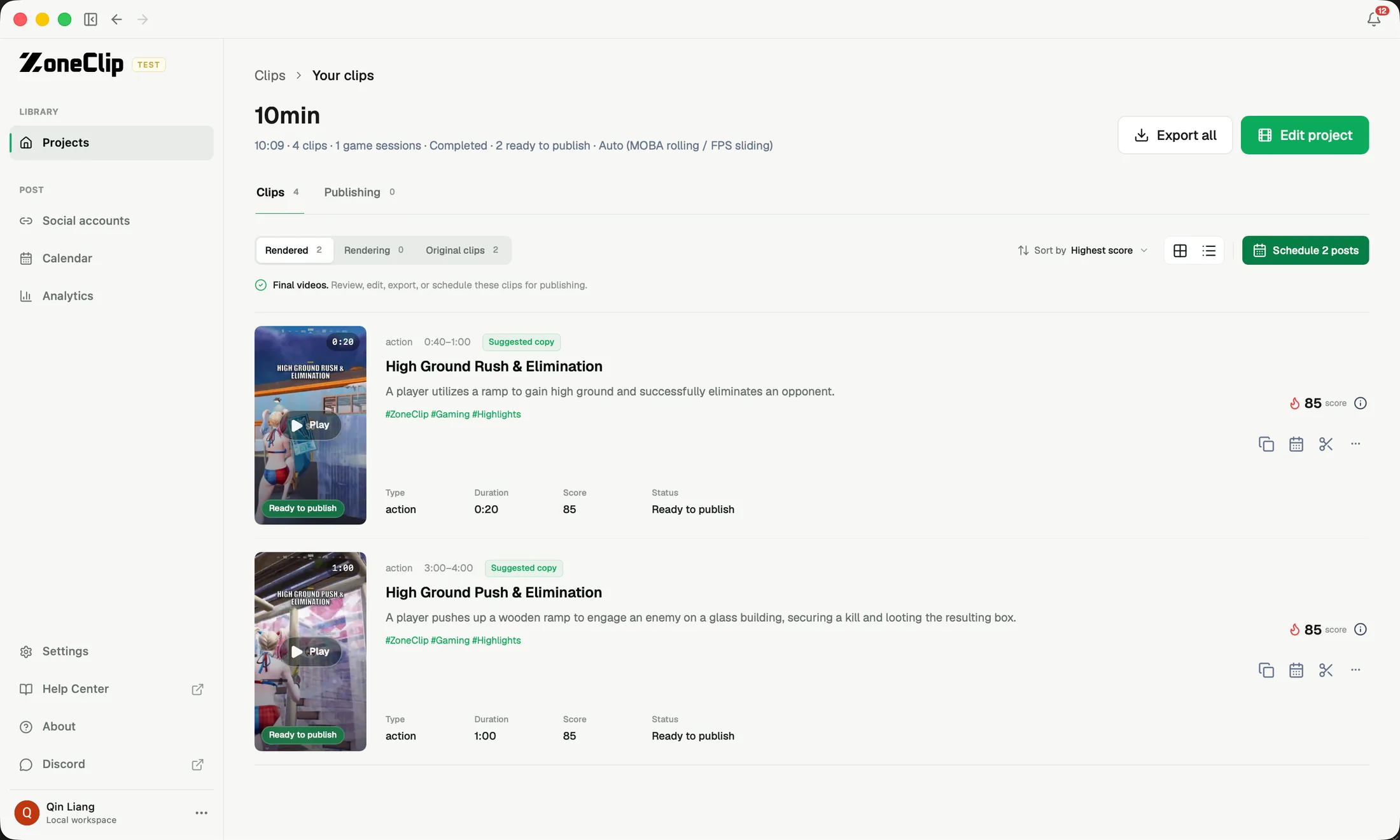
Each proposed clip includes its source range, title, summary, reason, and relative score. Open the useful results in the editor or send them to publishing.
See the actual inputs, settings, and results.
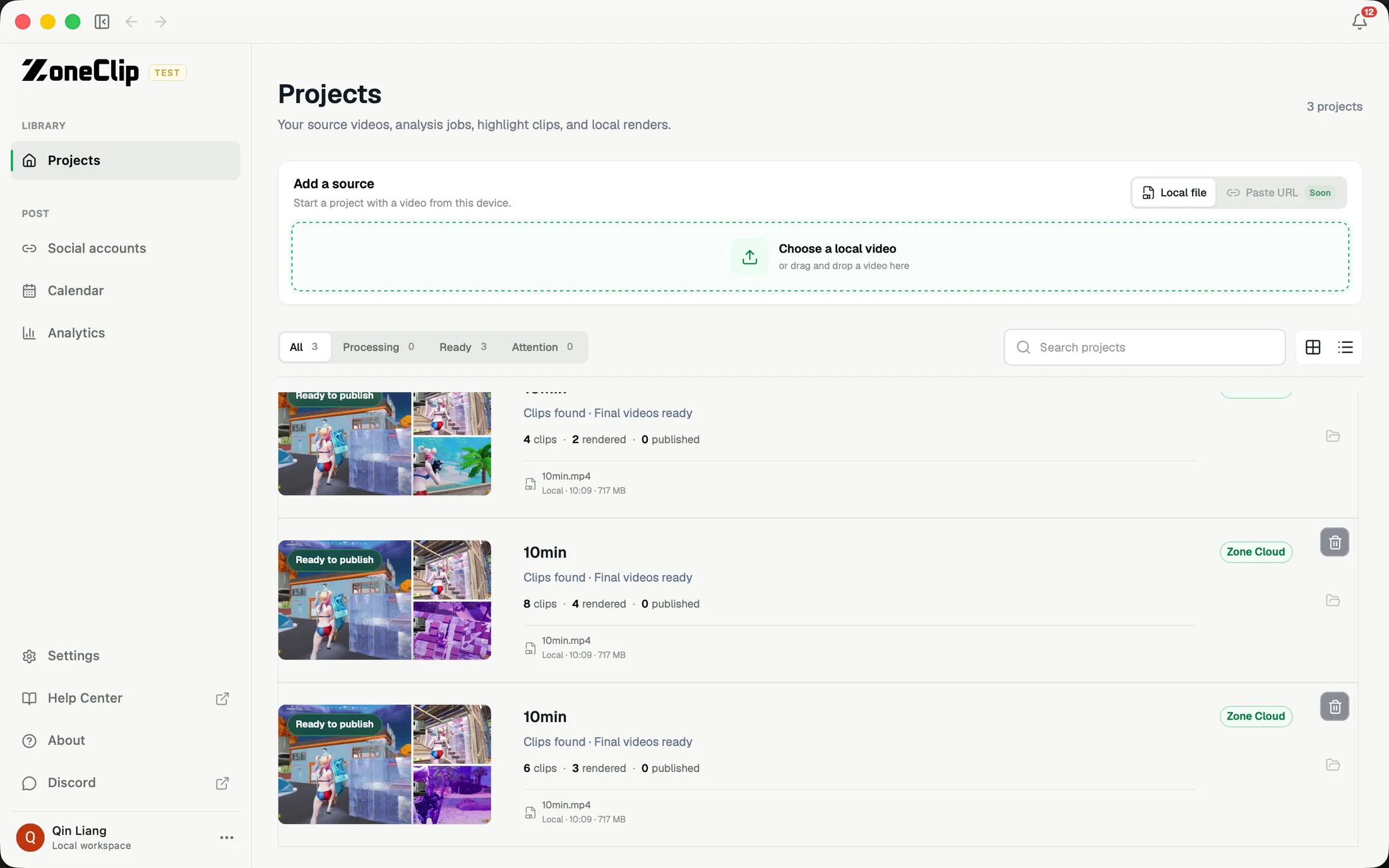
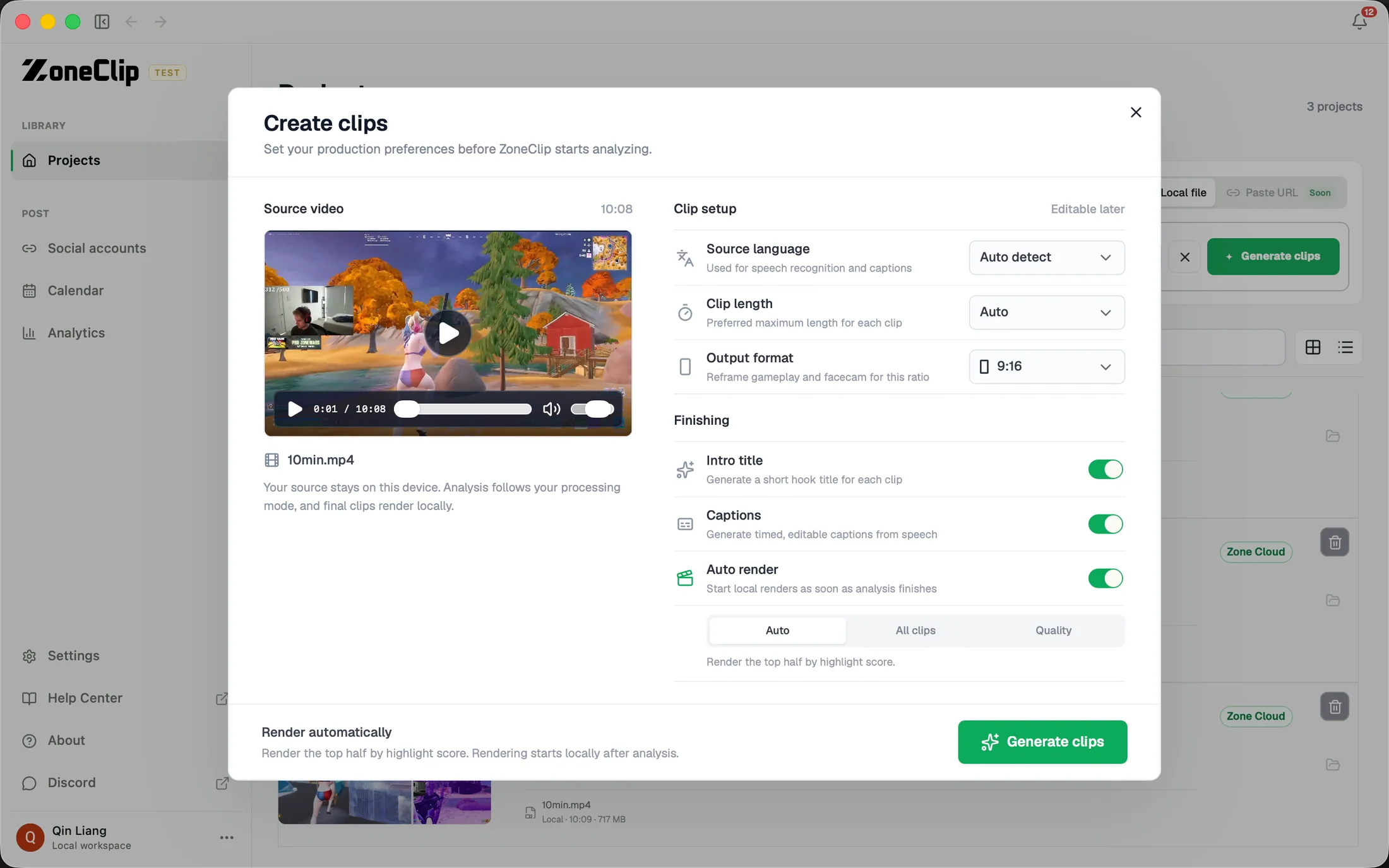
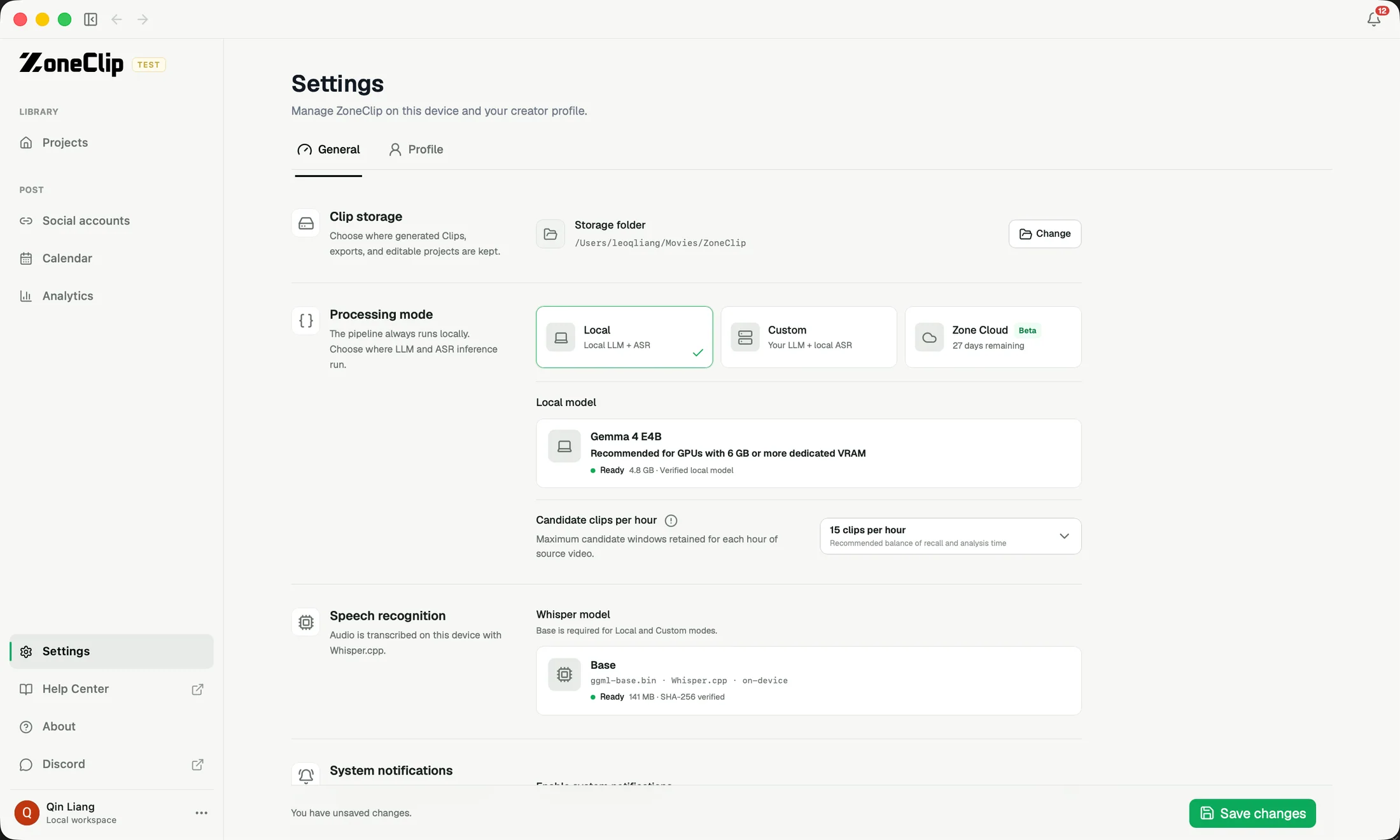
These screens show the current ZoneClip interface behind the workflow described above. Private credentials and access tokens are not shown.
What the current product does.
- Local recordings and supported YouTube, Twitch, direct MP4, and M3U8 URL imports
- Project-level Reframe, caption style, position, and automatic-render preferences
- Free local analysis or optional cloud plans from $15/month for 600 minutes
- Local frame sampling, audio extraction, and speech transcription
- Speech cues, audio energy changes, visual changes, and game-specific rules
- Overlapping windows for short action and rolling context for longer sequences
- Near-duplicate removal using time-window overlap
- A candidate budget per video hour before deeper model analysis
- Detailed review grounded in candidate-local frames, transcript, and audio
- Source range, explanation, and relative score for every proposed clip
- Local, custom-provider, or optional Zone Cloud processing modes
Questions about ai clip maker.
Automatic gaming highlights · Gaming VOD clipper · Ranked clip candidates
Can I create gaming clips from a video URL?
Choose a local recording or import an HTTPS YouTube, Twitch, direct MP4, or M3U8 link. URL imports download the source to your device and depend on source availability and platform restrictions. Only import recordings you have permission to use.
Can I choose the output style before analysis?
Choose language, clip length, output format, Reframe layout, caption preset and position, intro title, and automatic rendering before creating a project. Your choices are saved with the project and remembered for future projects. TikTok and YouTube preview overlays help check placement; previews illustrate the settings before detection and are not a guarantee of the final crop.
How does ZoneClip process a long VOD without deeply analyzing every second?
It uses a fast first pass to score likely windows, removes heavily overlapping candidates, and keeps a limited number per video hour. Deeper model analysis is then spent on the strongest candidate windows instead of the entire source.
What signals does ZoneClip use to find likely highlights?
The first pass can combine speech keywords, game-specific terms, audio energy and changes, visual changes, and timeline context. The deeper pass reviews the relevant frames, transcript, audio, and game-specific guidance together.
Can ZoneClip find more than one highlight in a recording?
Yes. One project can return several temporally distinct clips, each with its own source range, explanation, and relative score.
Are highlight scores a virality prediction?
No. They are review signals for comparing candidates in a source recording, not a guaranteed performance forecast.