PRODUCT FEATURES
AI clipping, editing, captions, and publishing in one workflow.
Start with a recording or a supported YouTube, Twitch, MP4, or M3U8 URL. Choose your Reframe and caption presets, find highlights, and finish clips locally. Use free local analysis or optional lower-cost cloud plans from $15/month.
01FIND & RANK HIGHLIGHTSAvailable
Find the moments worth clipping in a long gameplay VOD
Add a gameplay recording and ZoneClip analyzes it in two stages. A fast first pass uses speech cues, audio changes, visual changes, and game-specific signals to narrow the full VOD to distinct candidates. A deeper pass reviews the strongest candidate windows and returns several clips with a plain-language reason and score. You choose what to edit or publish; the original recording stays on your device.
- Local recordings and supported YouTube, Twitch, direct MP4, and M3U8 URL imports
- Project-level Reframe, caption style, position, and automatic-render preferences
- Free local analysis or optional cloud plans from $15/month for 600 minutes
Explore AI Clip Maker→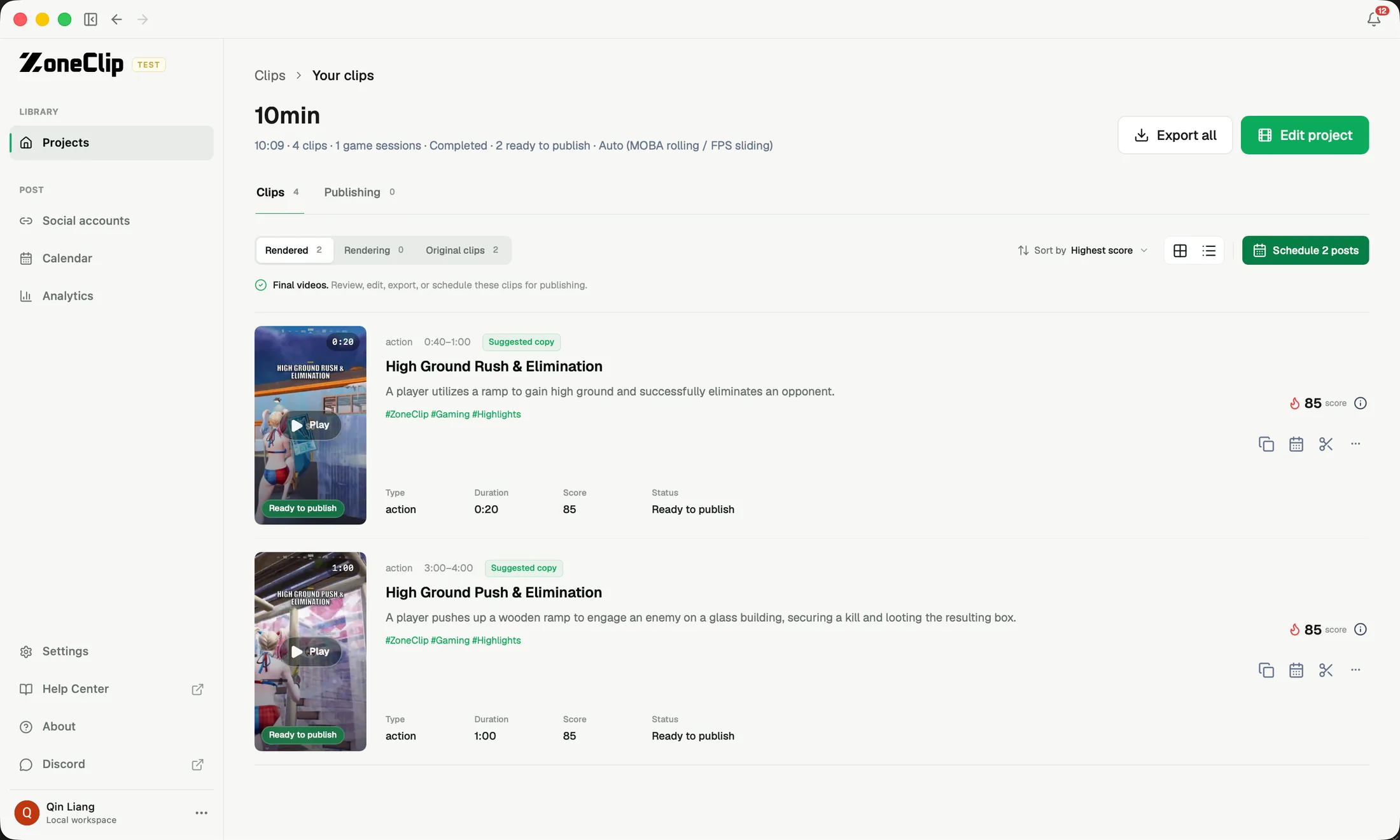
02COMPOSE FOR SHORT-FORMAvailable
A vertical gameplay editor for action, facecam, and game UI
ZoneClip does more than crop gameplay to 9:16. It lets you rebuild one horizontal recording as a vertical composition that can show the main action, the creator's facecam, and useful game UI such as the minimap at the same time. Start from gameplay-first, facecam, split, blurred, fullscreen, mosaic, and other layouts; then adjust framing, captions, elements, and timing before rendering locally. The result carries both the game event and the creator's personality.
- Saved Reframe preferences applied to project output and remembered for new projects
- Illustrative TikTok and YouTube previews for checking caption placement before detection
- Vertical compositions built from the original horizontal gameplay
Explore Gameplay Editor→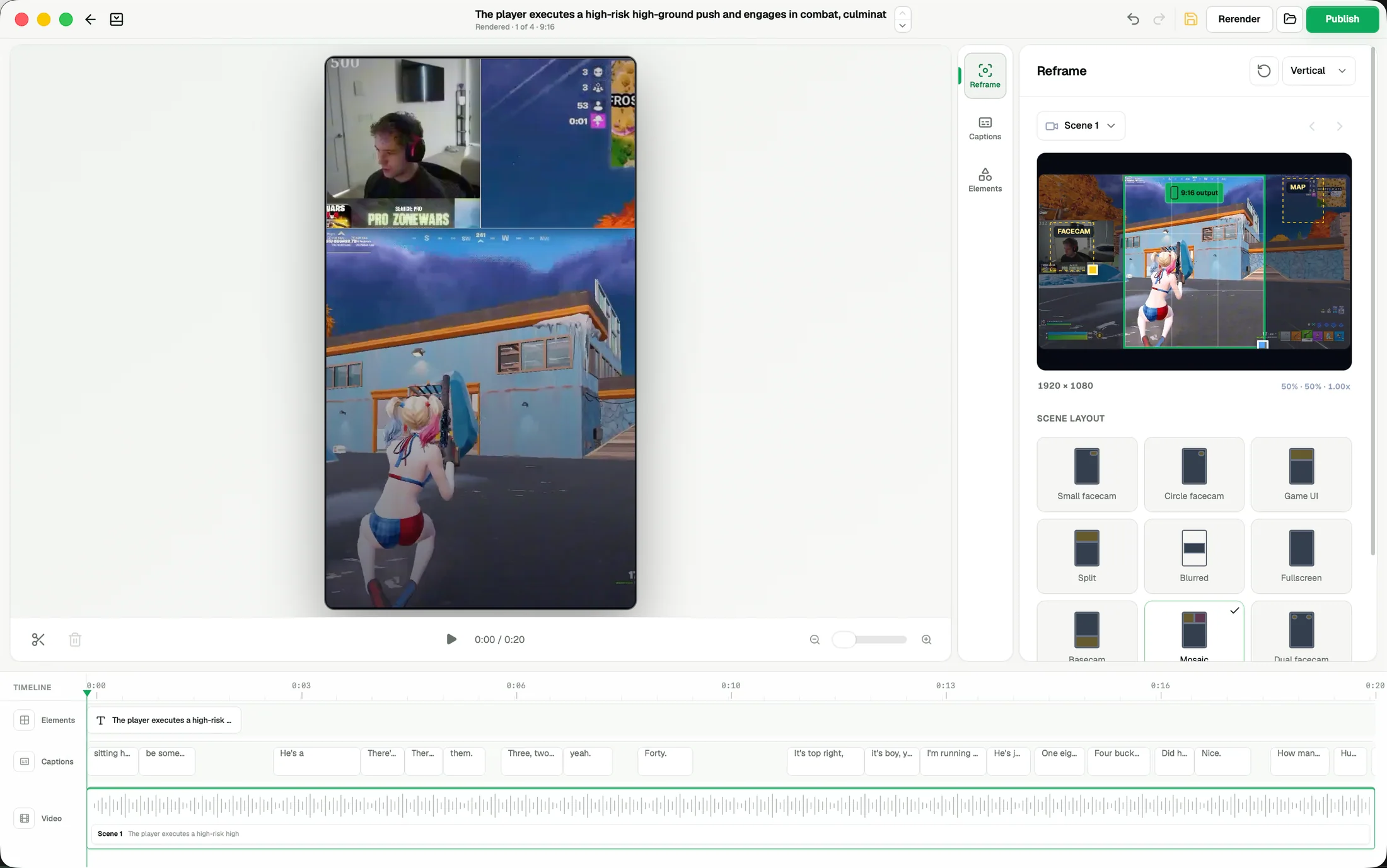
03CAPTION & PACKAGEAvailable
Automatic captions for gaming videos
ZoneClip generates automatic captions for gaming videos, keeps every timed line editable, and provides reusable visual presets. You can correct player names and game terms before export.
- Automatic timed caption generation
- Choose caption presets and position before creating a project; reuse them in future projects
- Illustrative TikTok and YouTube overlays to check placement around platform controls
Explore Automatic Captions→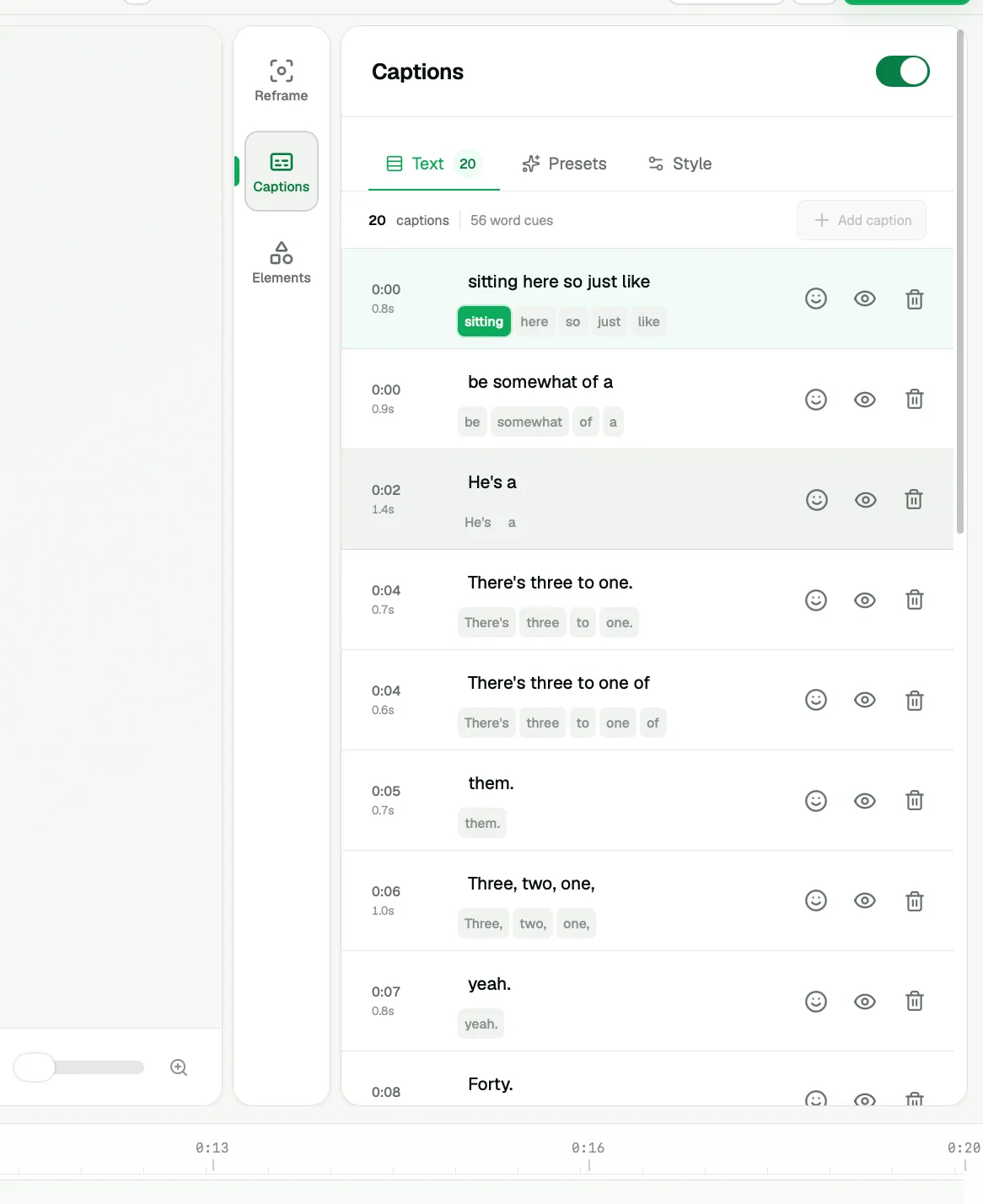
04PUBLISH & LEARNAvailable
Gaming clip scheduler and publishing analytics
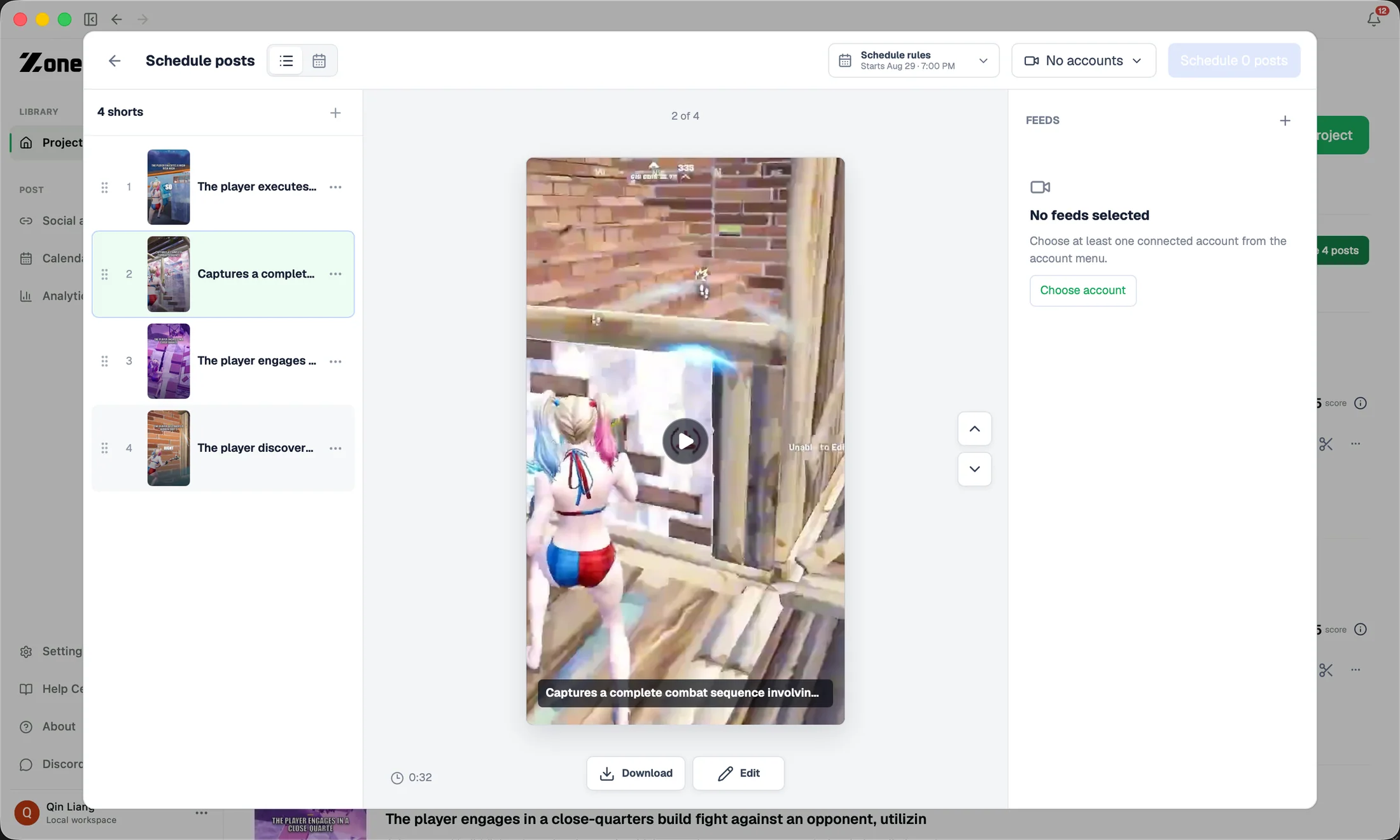
ZoneClip combines a gaming clip scheduler, YouTube Shorts scheduling, connected-account management, and supported performance analytics in the same workflow used to finish each clip.
- Connected YouTube, TikTok, and Instagram accounts
- Publishing finished clips uses no cloud analysis minutes
- Cross-platform queue with per-post destination and status
Explore Publishing & Analytics→