
Automatic captions for gaming videos
Generate editable subtitles for gaming clips, correct game-specific terms, and apply reusable caption styles inside the vertical video workflow.
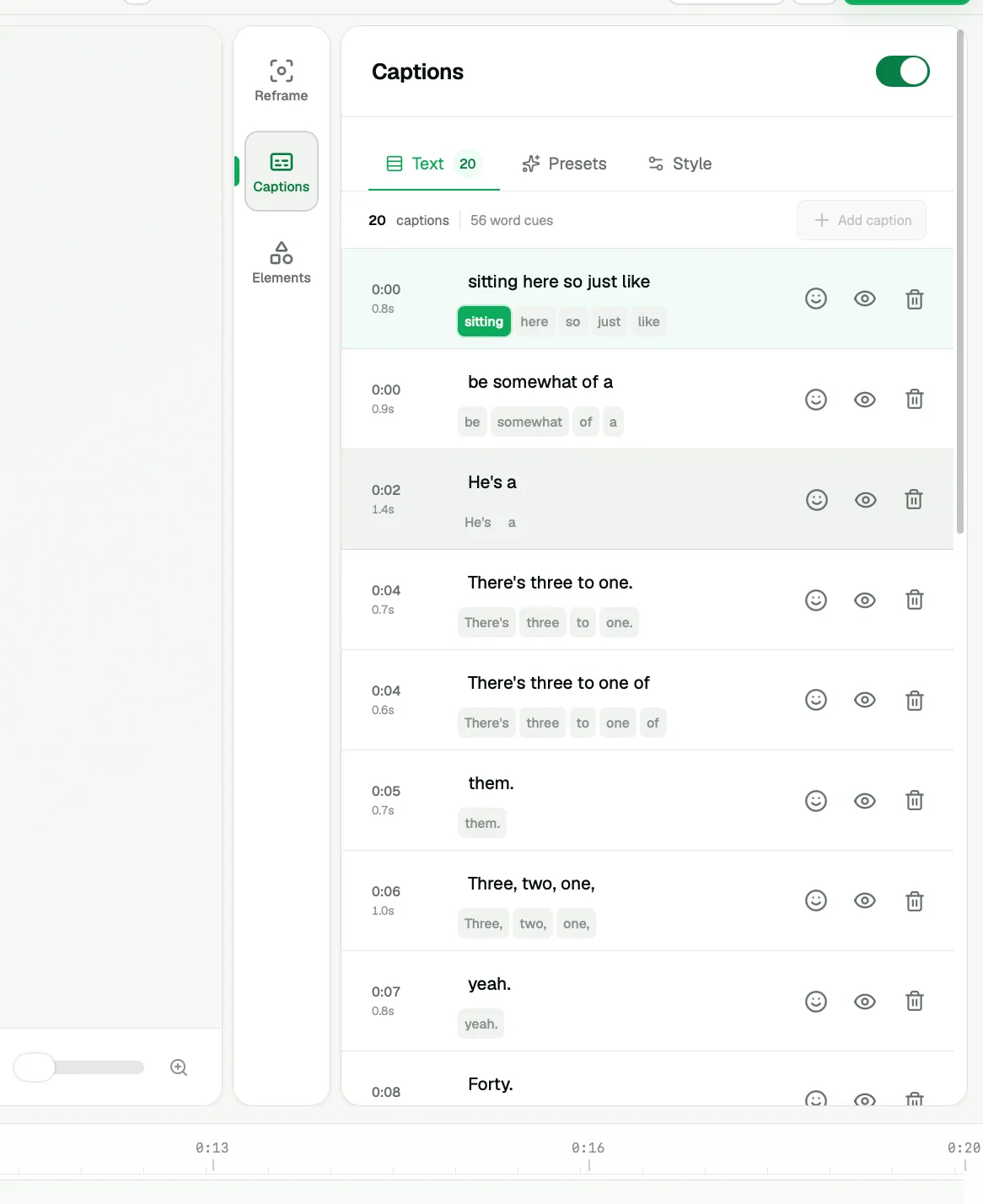
ZoneClip generates automatic captions for gaming videos, keeps every timed line editable, and provides reusable visual presets. You can correct player names and game terms before export.
How it works.
- 01
Generate timed lines
Create a transcript aligned to the clip so spoken context and reactions remain understandable without sound.
- 02
Correct the words
Review individual lines and fix names, game terminology, or moments where the source audio is unclear.
- 03
Apply a readable style
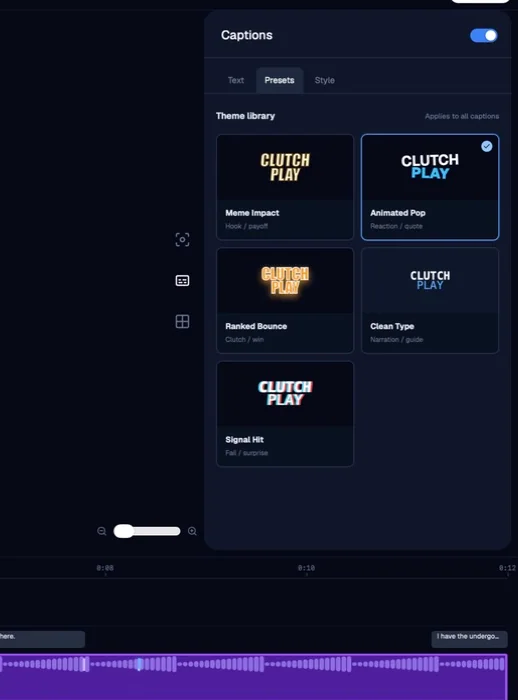
Choose a preset and refine placement so captions support the action instead of covering it.
See the actual inputs, settings, and results.
These screens show the current ZoneClip interface behind the workflow described above. Private credentials and access tokens are not shown.
What the current product does.
- Automatic timed caption generation
- Choose caption presets and position before creating a project; reuse them in future projects
- Illustrative TikTok and YouTube overlays to check placement around platform controls
- Line-by-line transcript editing
- Reusable caption style presets
- Caption placement inside the vertical composition
- Timeline-aligned review beside video layers
- One workflow with gameplay and facecam layouts
Questions about automatic captions.
Gaming subtitle generator · Automatic gaming captions · Editable caption styles
Can I edit captions after they are generated?
Yes. Timed transcript lines remain visible and editable inside the caption panel.
Can I use different caption styles?
Yes. The current editor includes reusable presets and controls for fitting captions into the composition.
Are captions always perfectly accurate?
No speech system is perfect. ZoneClip keeps captions editable so you can review game-specific terms and unclear audio.