
A vertical gameplay editor for action, facecam, and game UI
Turn horizontal gameplay into vertical Shorts with flexible layouts for action, facecam, minimap, captions, and game UI—then render locally from the original.
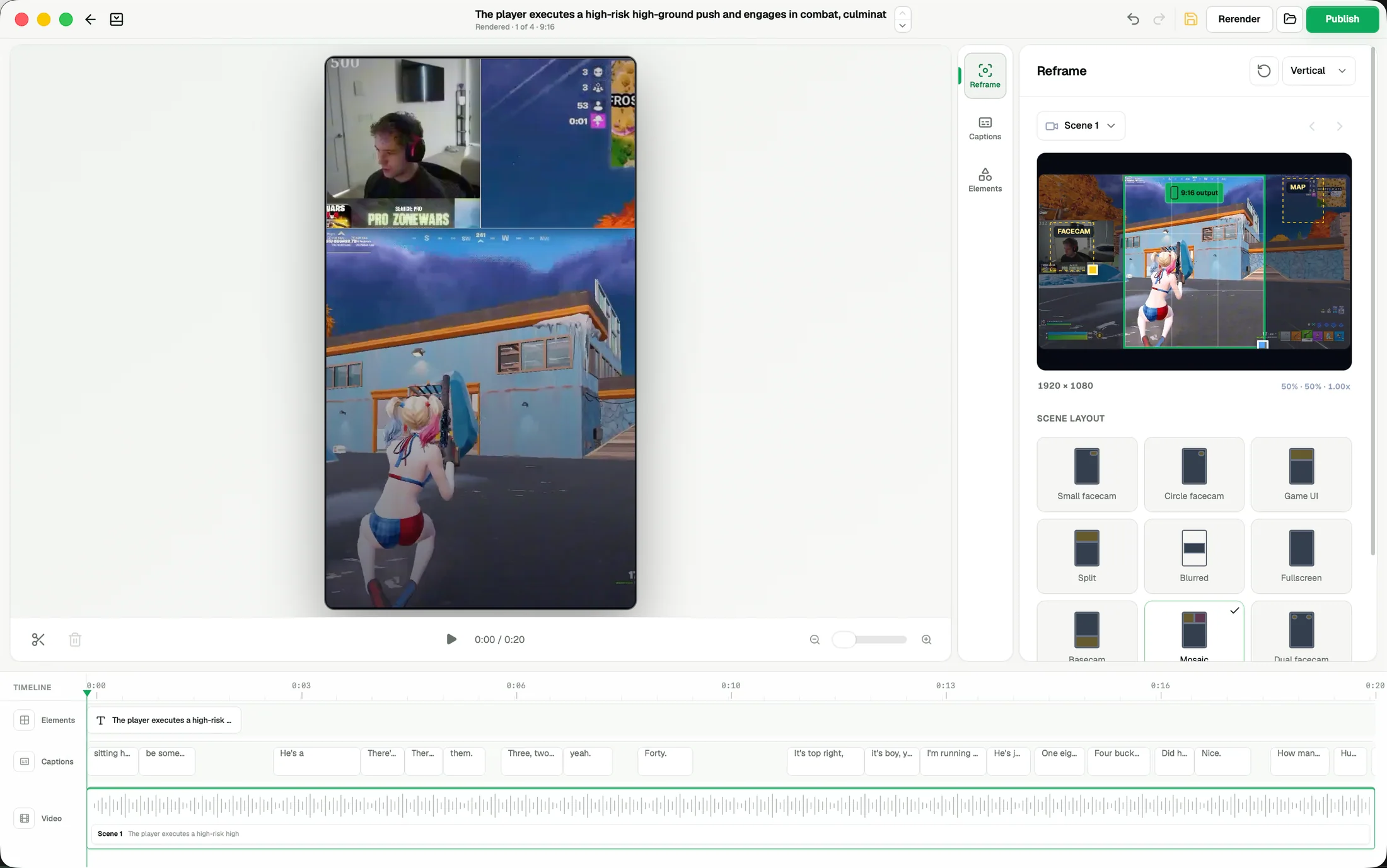
ZoneClip does more than crop gameplay to 9:16. It lets you rebuild one horizontal recording as a vertical composition that can show the main action, the creator's facecam, and useful game UI such as the minimap at the same time. Start from gameplay-first, facecam, split, blurred, fullscreen, mosaic, and other layouts; then adjust framing, captions, elements, and timing before rendering locally. The result carries both the game event and the creator's personality.
How it works.
- 01
Choose what the viewer should see
Keep the main gameplay action, facecam, minimap, or another useful HUD region instead of losing them to a single vertical crop.
- 02
Recombine the regions
Start from a layout such as gameplay-first, split, blurred, mosaic, or dual facecam, then choose how much space each region receives.
- 03
Make the composition your own
Fine-tune framing and timing, add editable captions and visual elements, then render the finished Short locally from the original source.
See the actual inputs, settings, and results.
These screens show the current ZoneClip interface behind the workflow described above. Private credentials and access tokens are not shown.
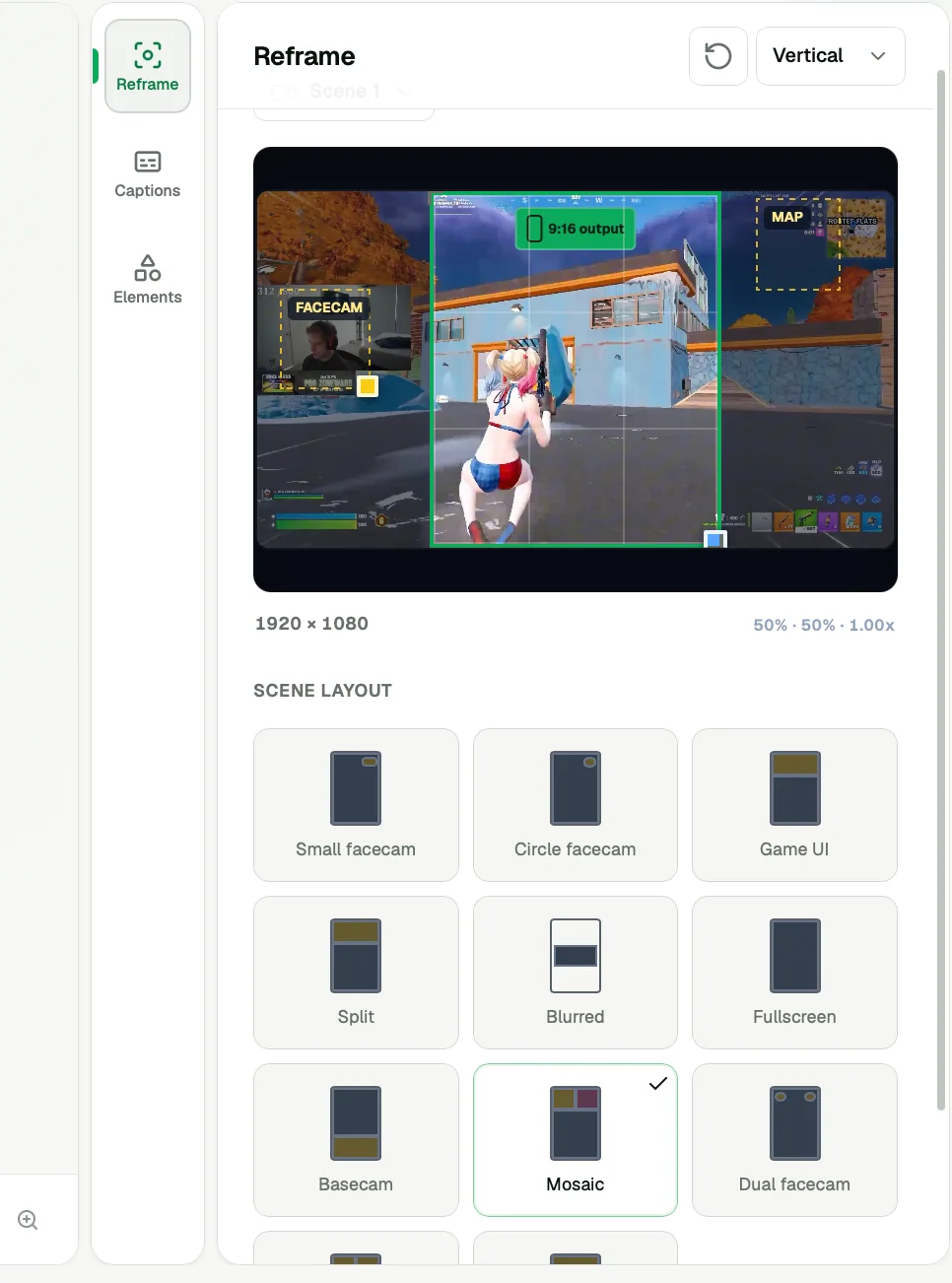
What the current product does.
- Saved Reframe preferences applied to project output and remembered for new projects
- Illustrative TikTok and YouTube previews for checking caption placement before detection
- Vertical compositions built from the original horizontal gameplay
- Separate space for gameplay, facecam, minimap, and other HUD regions
- Gameplay-first, facecam, game UI, split, blurred, fullscreen, basecam, mosaic, and dual-facecam layouts
- Scene and framing controls for deciding what remains visible
- Editable captions, titles, logos, effects, transitions, and audio
- Multi-track timing for video, captions, and other elements
- Local final rendering from the full-quality source recording
Questions about gameplay editor.
Gameplay video editor · Facecam video editor · Vertical gaming clips
Is this only an automatic center crop?
No. ZoneClip can compose several useful regions from the horizontal source into one vertical frame, including gameplay, facecam, minimap, and other game UI.
Which vertical layouts can I use?
The current editor includes gameplay-first, facecam, game UI, split, blurred, fullscreen, basecam, mosaic, and dual-facecam options. You can continue adjusting the selected composition.
Can I change the proposed edit?
Yes. Layout, framing, captions, timing, and visual layers remain editable. The generated composition is a starting point, not a locked export.
Does the final render use my original video?
Yes. ZoneClip is designed to render the final output from the high-quality source on your machine.