
Gaming clip scheduler and publishing analytics
Schedule finished gaming clips, manage connected accounts in one publishing calendar, and sync supported post-performance data back into your workflow.
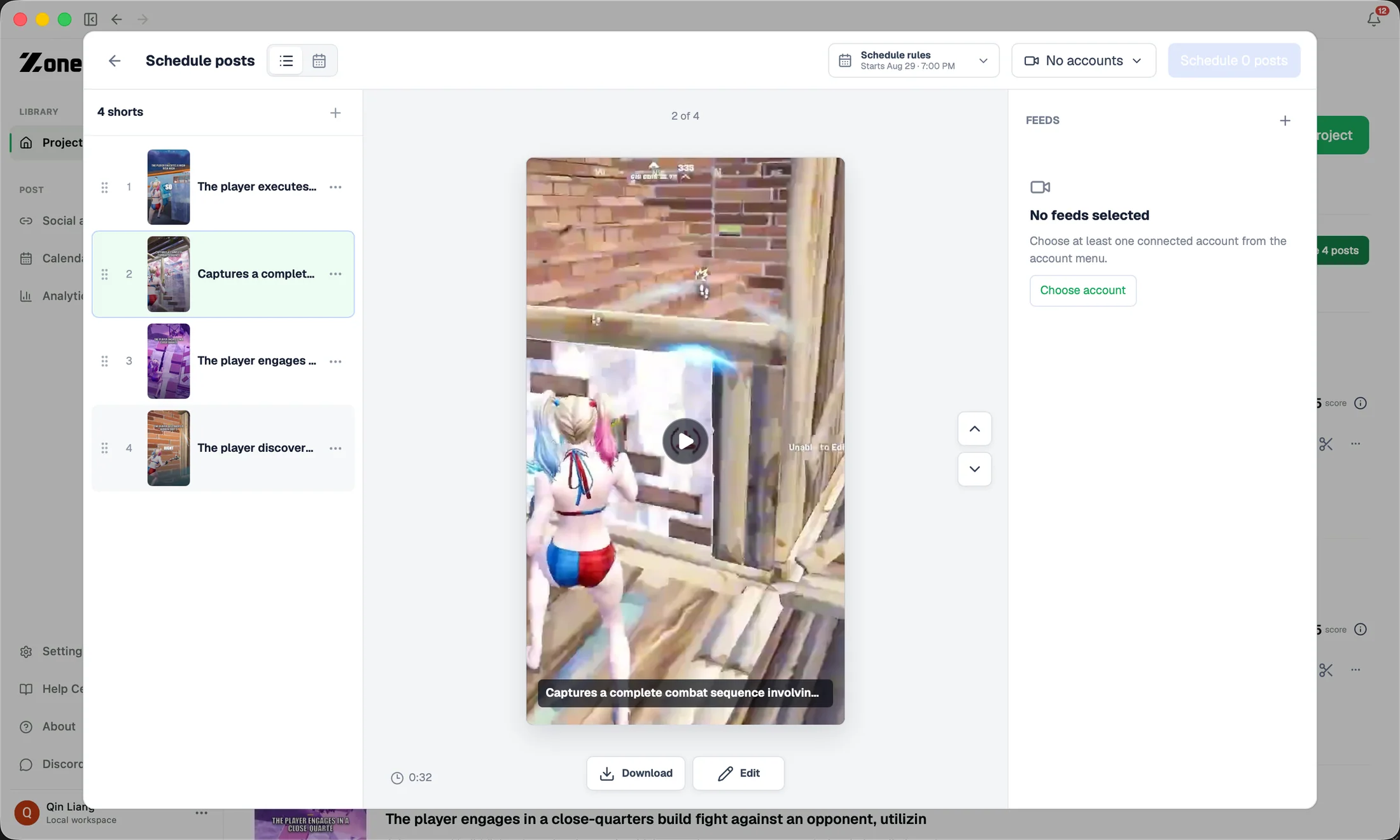
ZoneClip combines a gaming clip scheduler, YouTube Shorts scheduling, connected-account management, and supported performance analytics in the same workflow used to finish each clip.
How it works.
- 01
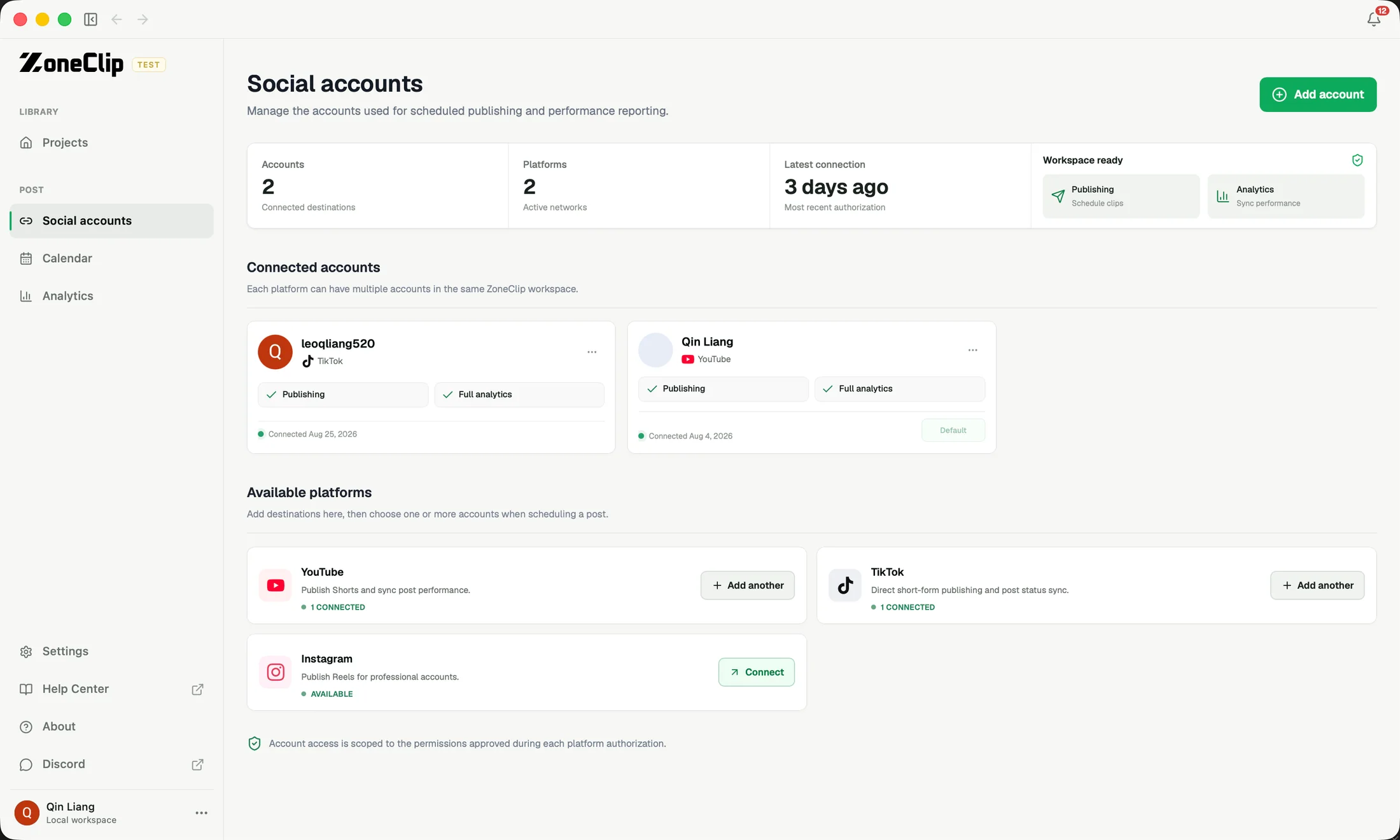
Connect the right account
Keep YouTube, TikTok, and Instagram destinations in one workspace and choose the right account for each finished clip.
- 02
Review every scheduled post
Review destination, metadata, date, time, and current platform status for every post in the queue.
- 03
Publish on a clear cadence
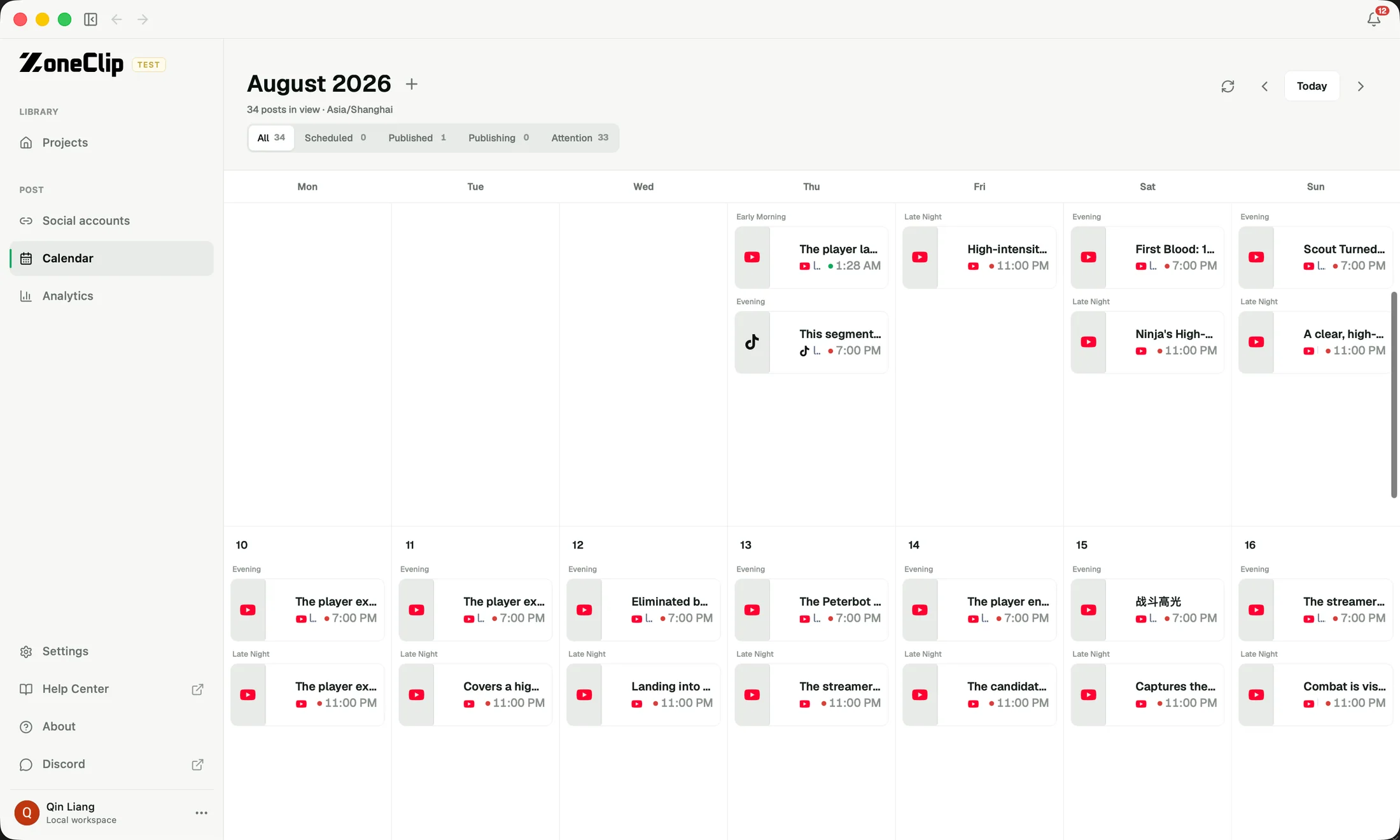
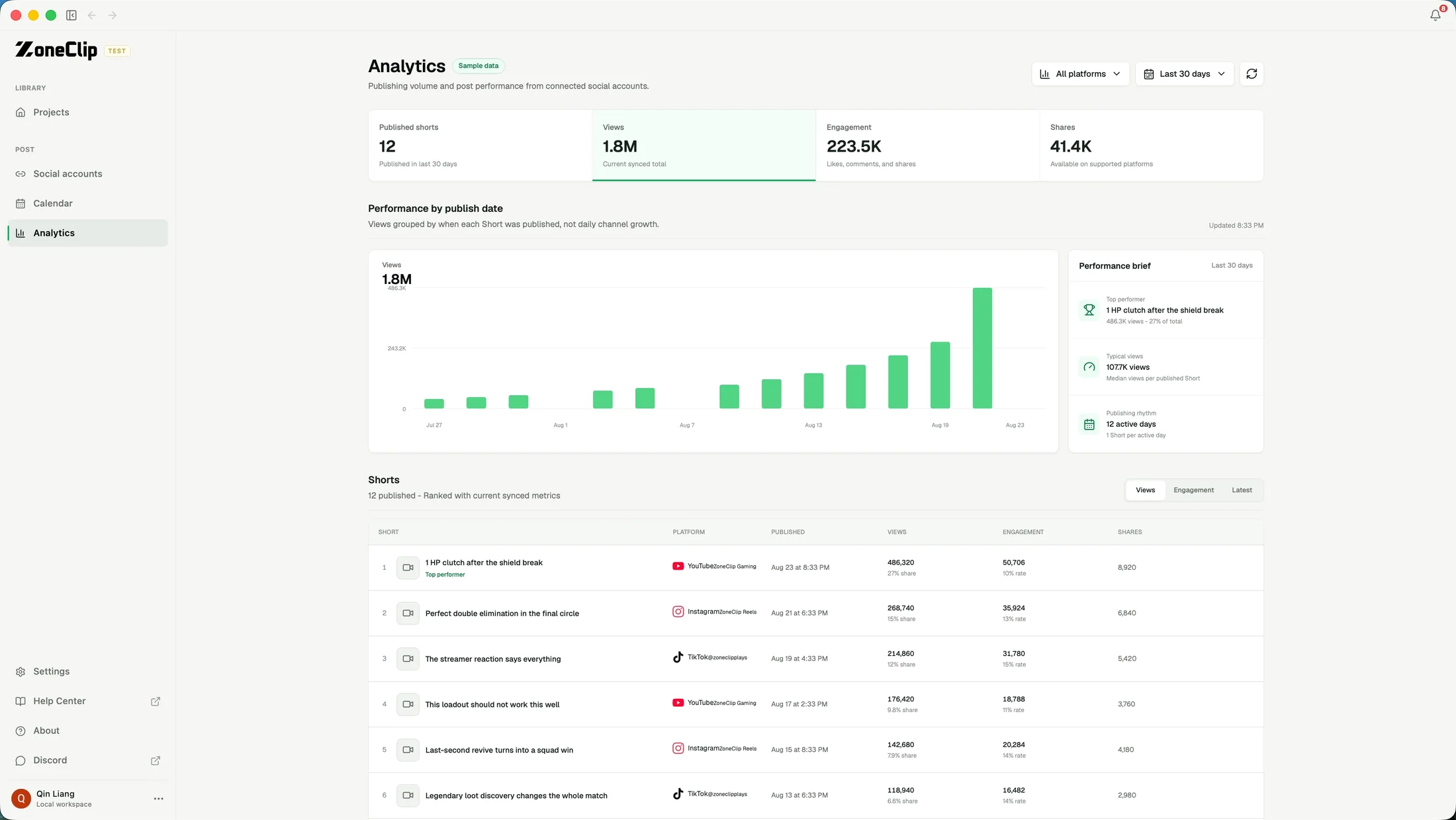
See cross-platform output on a calendar and bring supported post performance back into the workflow after publishing.
See the actual inputs, settings, and results.
These screens show the current ZoneClip interface behind the workflow described above. Private credentials and access tokens are not shown.
What the current product does.
- Connected YouTube, TikTok, and Instagram accounts
- Publishing finished clips uses no cloud analysis minutes
- Cross-platform queue with per-post destination and status
- Schedule date and time controls
- Unified calendar view for publishing cadence
- Supported post-performance synchronization
- A path from clip selection directly into scheduling
Questions about publishing & analytics.
Gaming clip scheduler · YouTube Shorts scheduler · Multi-account publishing
Does publishing use cloud analysis minutes?
Only Zone Cloud analysis uses the included minutes, measured by the selected source-video duration. Editing, local rendering, exporting, and publishing use no additional analysis minutes. Local mode remains free.
Which social platforms can I connect?
ZoneClip supports connected YouTube, TikTok, and Instagram accounts. Publishing access still depends on each platform's approval and account requirements.
Can I schedule a batch of Shorts?
Yes. You can review a queue, adjust metadata per clip, choose a cadence, and inspect the resulting schedule on a calendar.
Does ZoneClip publish to TikTok and Instagram today?
ZoneClip includes TikTok and Instagram connections and scheduled posts alongside YouTube. Availability can vary while platform app reviews and account-level requirements are being completed.