What this module is for
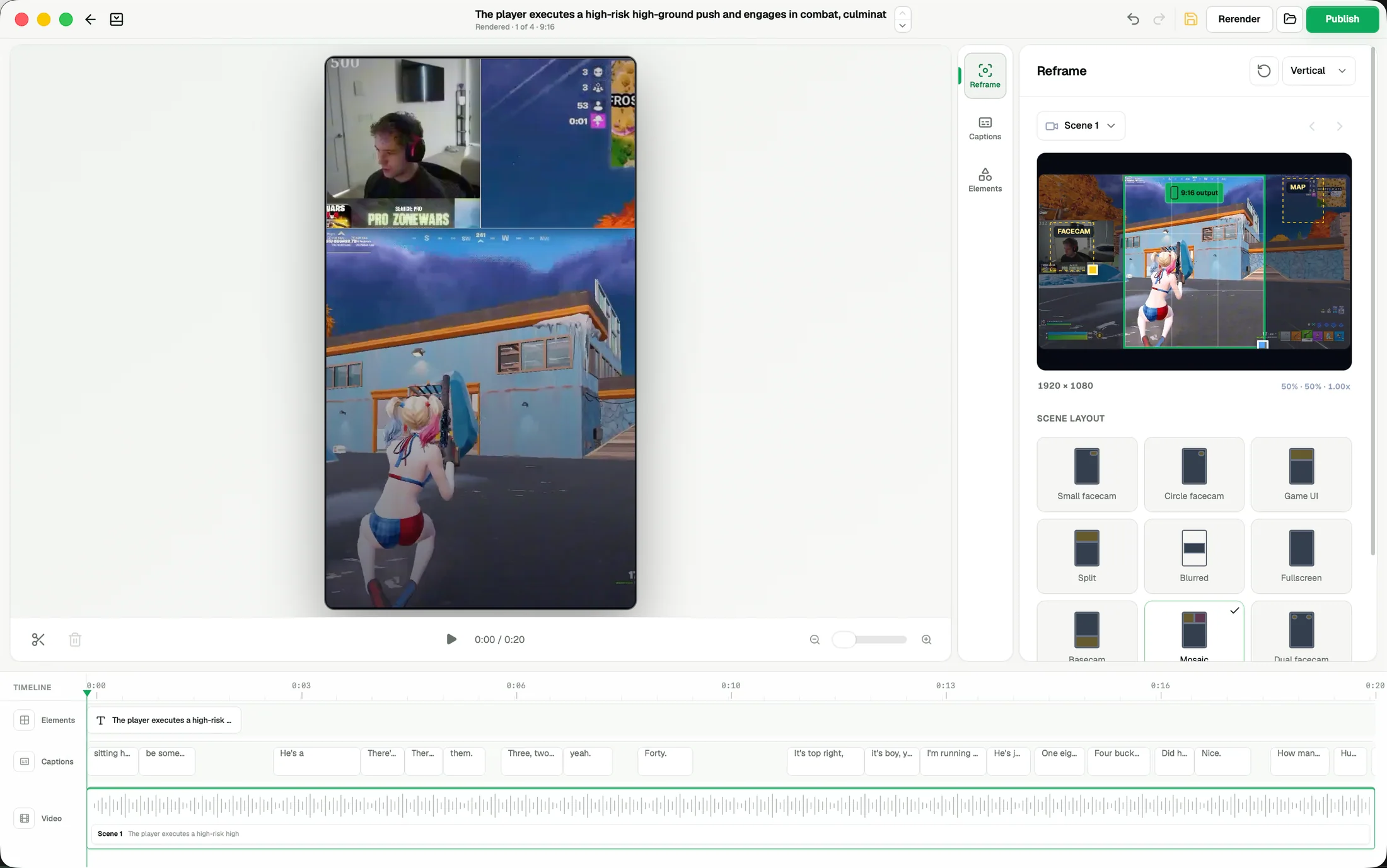
Use the editor after you have chosen a moment worth finishing. It keeps the selected source range and gives you direct control over the vertical composition, gameplay crop, facecam, captions, titles, effects, transitions, audio, and timing.
Open a selected moment
Open a candidate from its project detail. Check the beginning and ending first: the clip should include enough setup to understand the payoff and enough room to finish the reaction. Adjust the range before spending time on visual polish.
Choose a layout
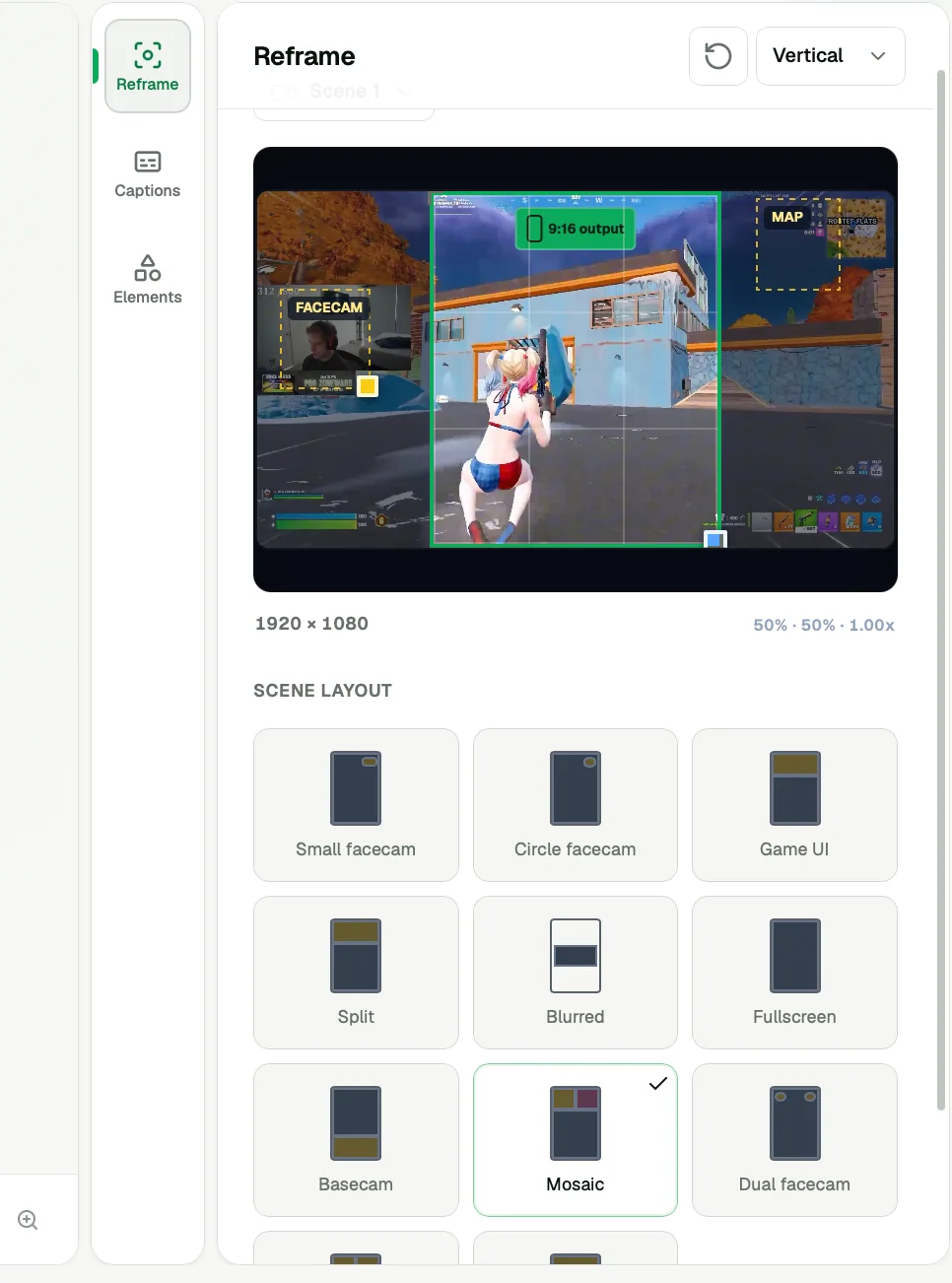
Start from a reusable layout based on the story you want to tell. Use a gameplay-focused layout when the action must stay large, a balanced gameplay-and-reaction layout when both matter, or a reaction-focused layout when the facecam carries the moment. Templates are starting points and remain editable.
In project setup, Reframe lets you choose a preferred composition before analysis, including fullscreen, blurred, split, and facecam layouts that do not require a minimap. The preference is saved with the project and used for its output. The setup preview illustrates the composition before detection; it does not promise an exact crop or detected facecam location. Refine the actual result in the editor when needed.
Keep the action in frame
Review the entire clip, not only its first frame. Reposition the gameplay crop when the important action moves and place the facecam where it does not cover the player, target, objective, or essential HUD information. Framing keyframes let the composition change over time.
Work with the timeline
Use the multi-track timeline to understand when each layer appears. Gameplay, facecam, captions, titles, logos, effects, transitions, and audio should support the same moment. Trim or move a layer when it distracts from the action or arrives too early.
Review before rendering
Watch the edit at a small phone-like size with sound on and off. Confirm that the action, reaction, and captions remain readable, then render locally from the original source file.