Quick check
A valid link opens one specific saved video.
- Valid: YouTube video, Short, or completed live replay; Twitch VOD, Highlight, or Clip.
- Not valid: channel, profile, playlist, search, category, or Twitch live-channel page.
Open the link in a new browser tab. If it opens the exact video you want, the link is correct. Private, deleted, expired, or restricted videos may still be unavailable.
Only use videos you own or have permission to edit.
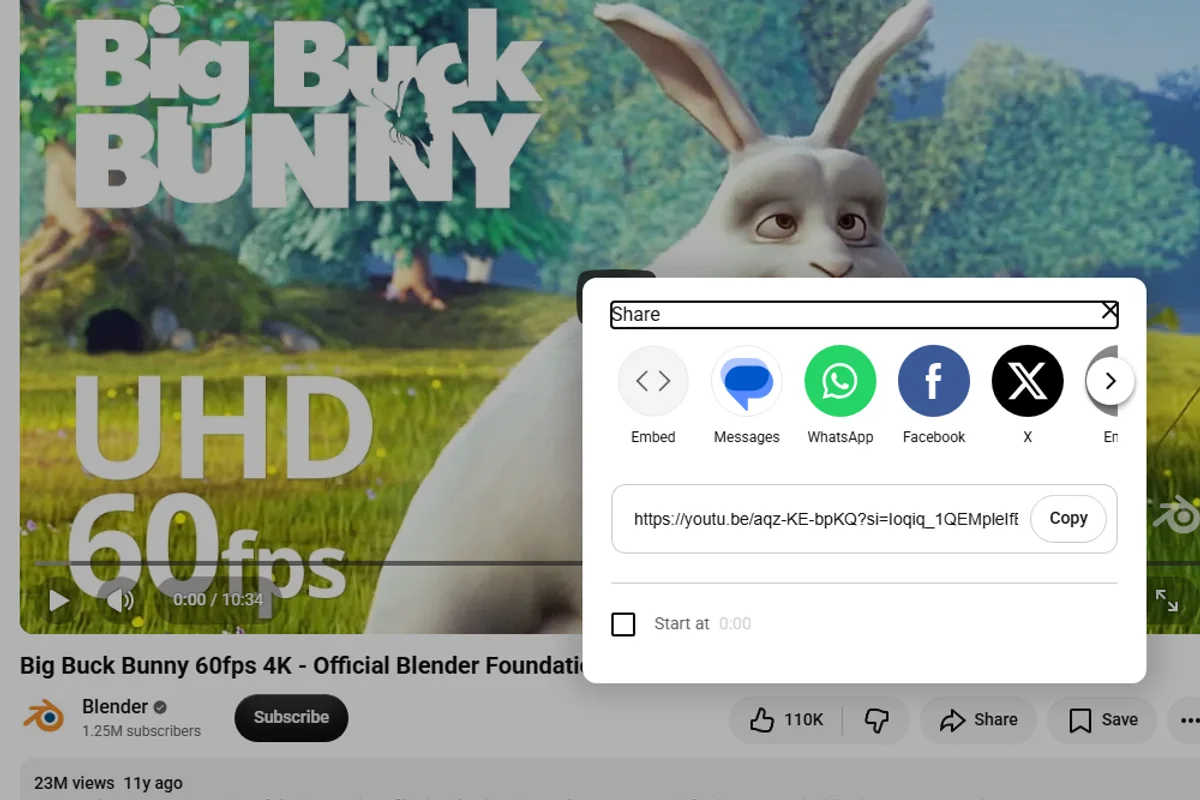
YouTube video or Short
- Open the exact video, Short, or completed live replay.
- Select Share.
- Select Copy link.
On mobile, use the same Share → Copy link action. You can also copy the address from a desktop browser. See YouTube's sharing guide.
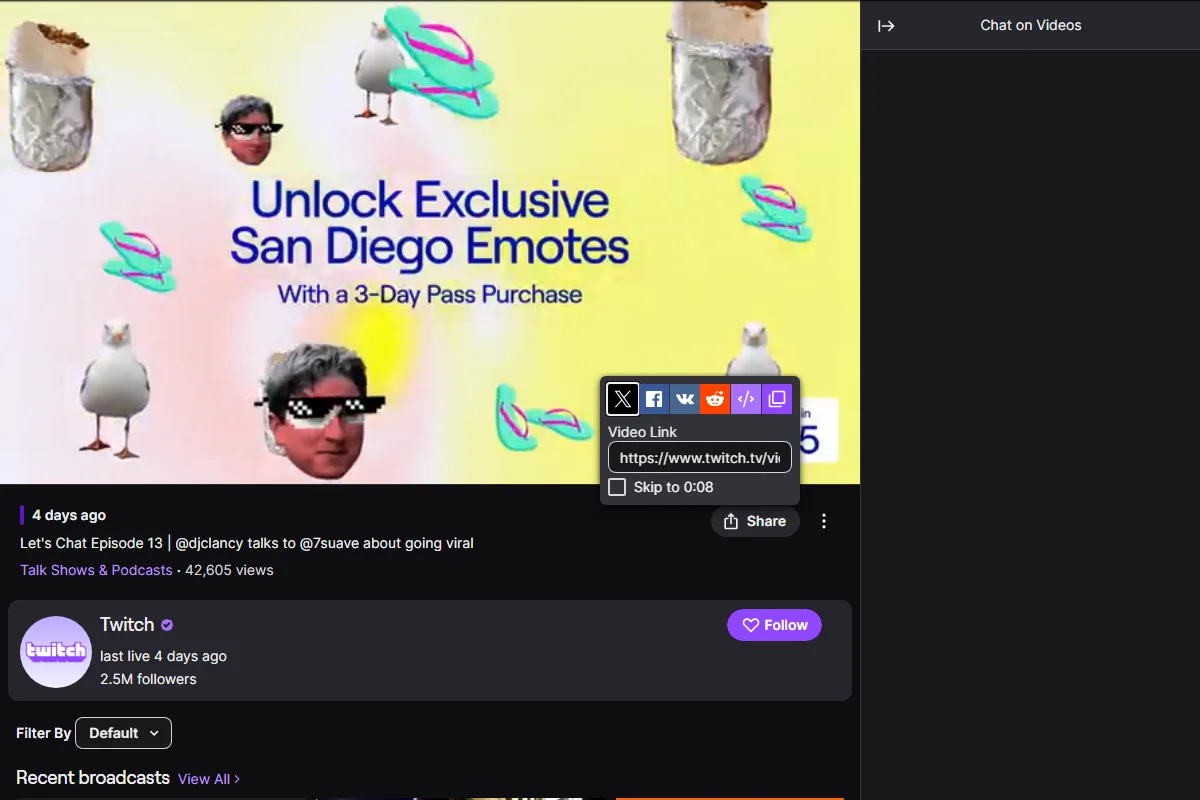
Twitch VOD or Highlight
- Open the streamer's channel and select Videos.
- Choose Past Broadcasts or Highlights, then open the video.
- Select Share, or copy the browser address.
For your own stream, you can also open Creator Dashboard → Content → Video Producer and choose the saved video. See Twitch's VOD guide.
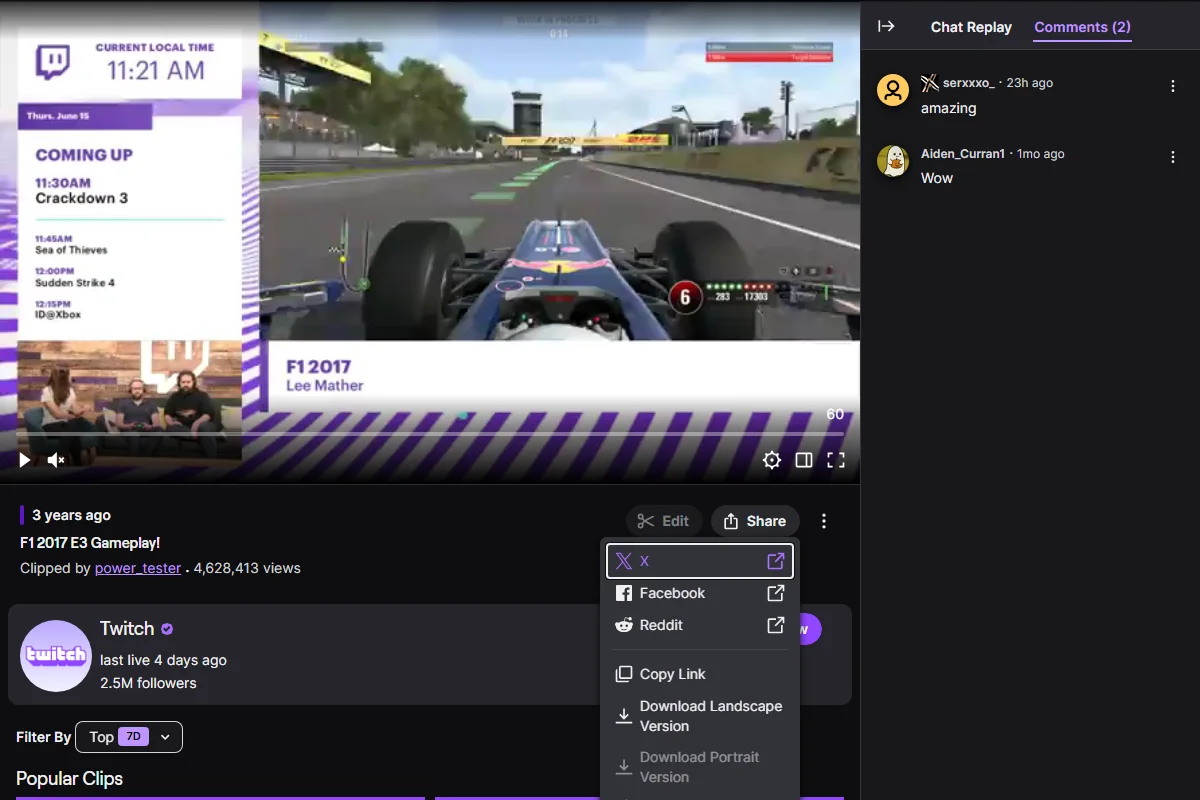
Twitch Clip
- Open the individual Clip.
- Select Share.
- Select Copy link.
If you are creating a new Clip, publish it first; Twitch then provides its link. See Twitch's Clip guide.
Valid link formats
| Platform | Video type | Valid format |
|---|---|---|
| YouTube | Video | youtube.com/watch?v=VIDEO_ID |
| YouTube | Shared link | youtu.be/VIDEO_ID |
| YouTube | Short | youtube.com/shorts/VIDEO_ID |
| YouTube | Live replay | youtube.com/live/VIDEO_ID |
| Twitch | VOD or Highlight | twitch.tv/videos/1234567890 |
| Twitch | Clip | clips.twitch.tv/CLIP_SLUG |
Do not use a channel link such as youtube.com/@channelname or twitch.tv/channelname.