
Short answer: Do not publish an AI-selected gaming clip because it has the highest score. First confirm that it contains a minimum setup → visible payoff → complete reaction. Then check the crop, captions, pacing, and destination account before export.
Start with the candidate list, not the timeline
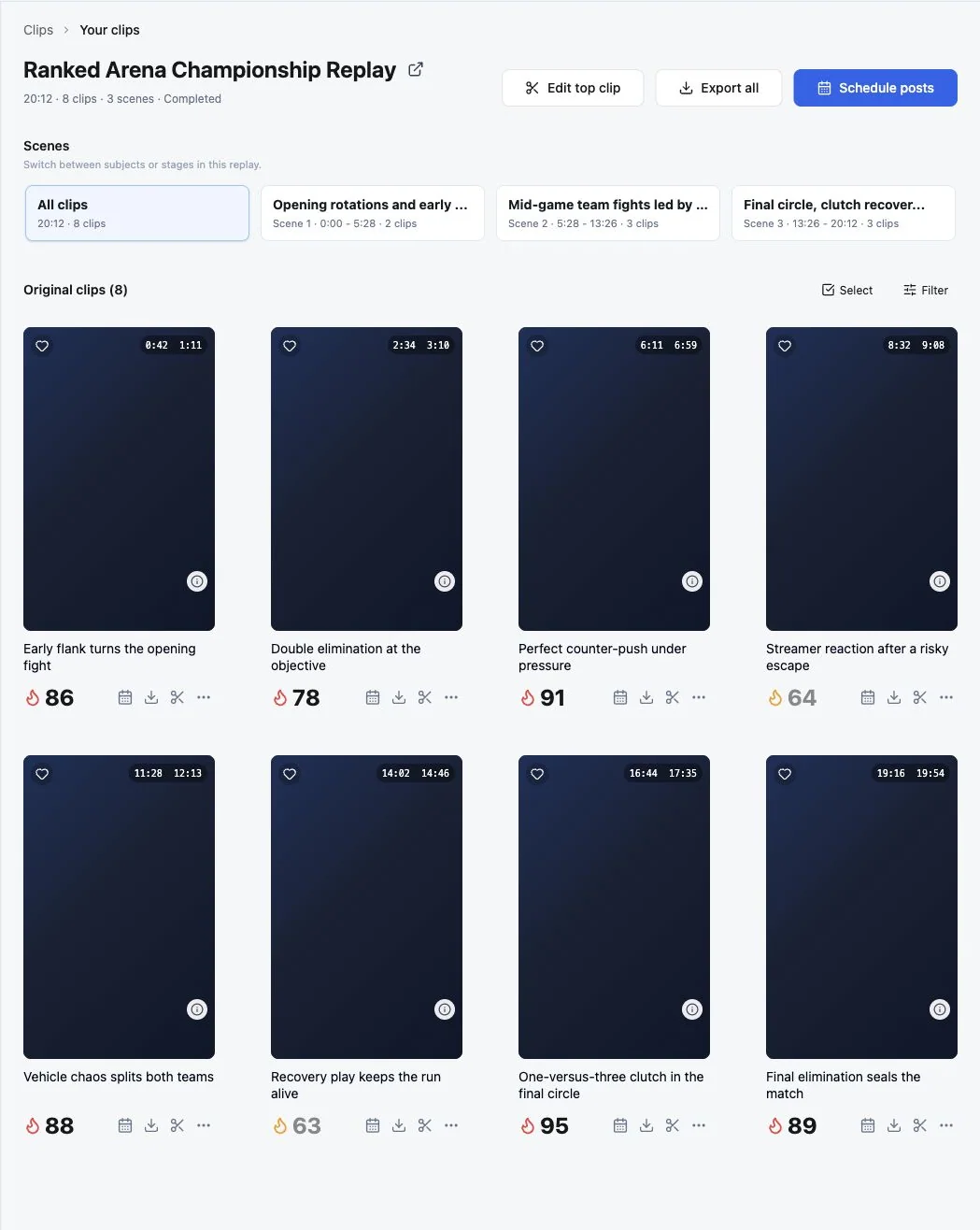
AI is most useful when it narrows a long recording into several moments worth reviewing. The score is a ranking signal inside that recording—not a promise of views or virality.
Review the candidate title, time range, scene context, and explanation together. A lower-ranked candidate can still be the better post if it has a clearer story or a stronger creator reaction.
Use five checks before choosing the moment
1. Can a new viewer understand the setup?
Watch from the proposed first frame without using your memory of the stream. The clip should establish the immediate goal, threat, challenge, or joke quickly enough for the payoff to make sense.
If the clip begins on the kill, punchline, or celebration, move the start earlier until the minimum required context is visible.
2. Is the decisive event actually visible?
Confirm that the crop preserves the target, reticle, objective, score state, opponent, or other evidence that makes the result legible. Audio excitement cannot replace a payoff that has been cropped out.
3. Does the ending finish the reaction?
Do not cut immediately after the gameplay event. Stay long enough for the result, voice reaction, facecam response, teammate exchange, or scoreboard change to register.
4. Are the captions helping rather than covering the game?
Correct player names, handles, game terminology, and unclear speech. Preview the caption position at phone size and make sure it does not cover the kill feed, objective state, or facecam.
5. Does the clip fit the destination?
Check the selected account, aspect ratio, duration, title, caption, scheduled time, and platform status. A good edit can still fail operationally when it is sent to the wrong account or published with unfinished metadata.
The cold-viewer test: Show the draft to someone who did not watch the stream. Ask: What was the player trying to do? What changed? Why was the reaction justified? Missing answers reveal missing context more reliably than another score.
Where ZoneClip fits in the review loop
ZoneClip groups a long recording into scenes and proposes multiple candidates with time ranges, descriptions, and relative scores. You choose the story, refine gameplay and facecam framing, correct captions, and render the final clip from the original local source.
The workflow is intentionally inspectable. AI narrows the search and proposes an edit; the creator remains responsible for the final narrative and publishing decision.
Read the AI Clip Maker overview, continue with the Gameplay Editor, or review the full gameplay-to-Shorts workflow.
Final pre-publish checklist
- The opening contains only the context needed for the payoff.
- The decisive event remains visible throughout the vertical crop.
- The ending includes the result and complete reaction.
- Names and game terminology are correct in captions.
- Captions and facecam do not hide critical game information.
- The clip has been watched once at phone size and once without sound.
- The correct platform account and publishing metadata are selected.
Questions about this topic
Should I always choose the AI clip with the highest score?
No. Use the score to prioritize review, then check whether the clip contains enough setup, a visible payoff, and a complete reaction.
What makes a gaming highlight understandable to a new viewer?
A new viewer should be able to identify the goal, the decisive change, and why the result mattered without opening the full VOD.
How much should I edit an AI-selected gaming clip?
Make the smallest changes needed to restore context, keep the action visible, correct captions, and fit the destination platform.